One form in ClickUp. One car card in VinSight. The bank tells us when it's paid.
This is what we agreed on the call yesterday, now live. The screenshots below are from the real system. Red marks show where to look. Tap any picture to open it full size.
- STEP 1Fill the intake formEvery car starts here. Put the VIN in.ClickUp
- STEP 2Car card appearsVinSight makes the card by itself and comments on the ClickUp task.Tools › Deals
- STEP 3Wire landsSRI (TD) and Auto RB (Scotia) both show in the Ledger.Tools › Ledger
- STEP 4Confirm the matchCheck the suggested invoice, add the wire receipt, confirm.Tools › Ledger
- STEP 5Marked PaidThe invoice turns Paid and the ClickUp task gets a comment with the receipt.Card + ClickUp
Every car starts with the intake form
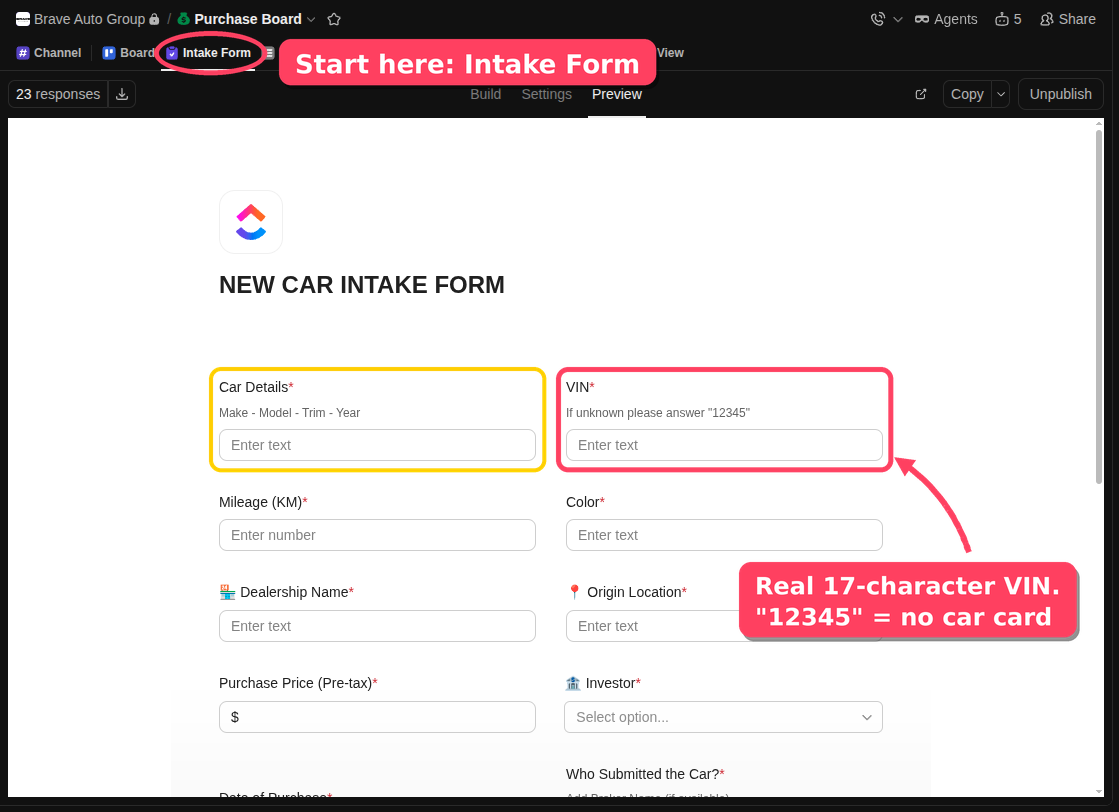
Use the NEW CAR INTAKE FORM for every car, the same as today. The one change is the VIN. Type the real 17-character VIN. VinSight reads the task the moment it is saved. If it can't find a real VIN, it comments on the task and asks for one.
VinSight answers on the task
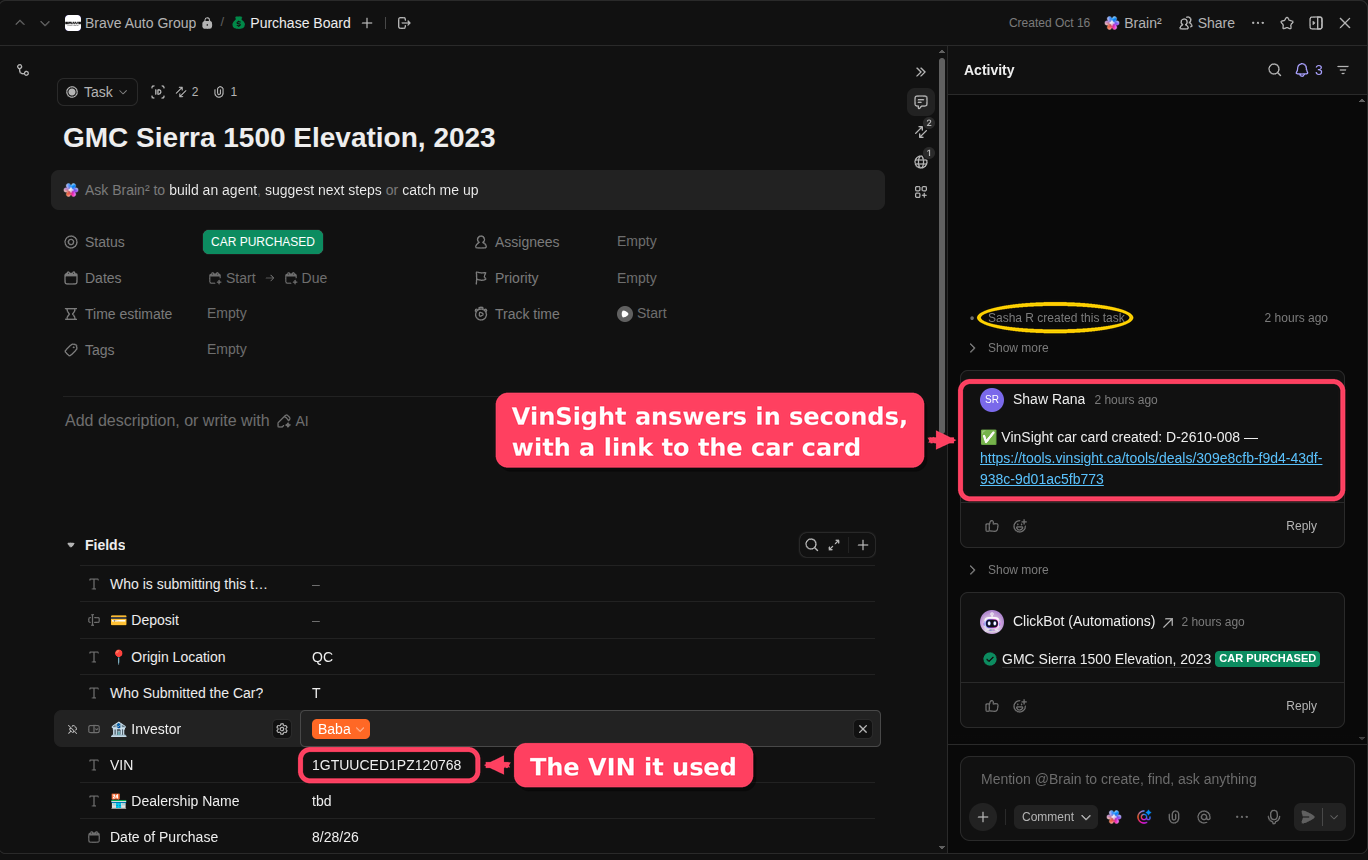
A few seconds after the task is saved, a comment appears with a link to the car card. It shows under Shaw's name, because VinSight uses his ClickUp login. Sasha made this GMC Sierra task this morning, and the card was ready right away.
One car card per VIN
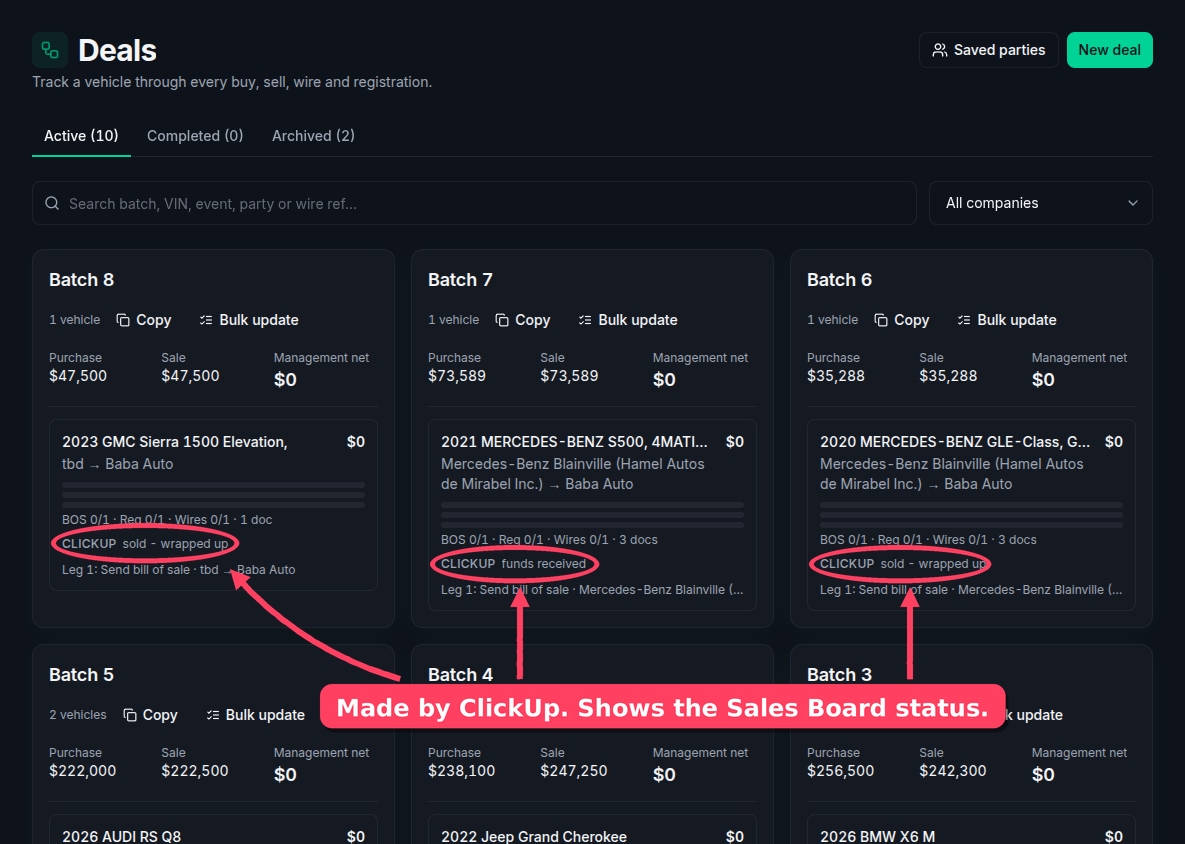
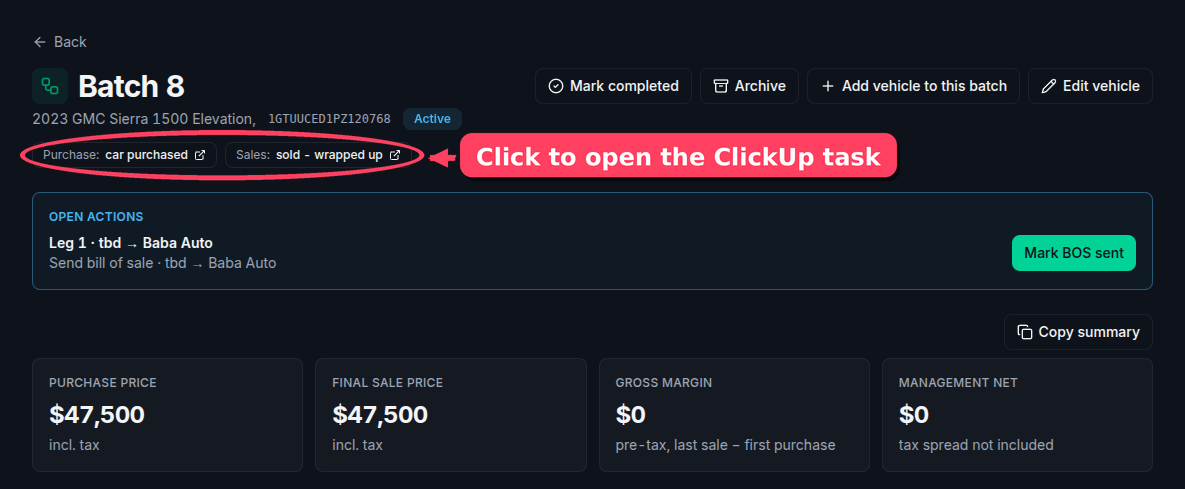
VinSight copies the car, VIN, dealership, investor, price, purchase date and the task's photos and PDFs onto the card. When ClickUp makes the Sales Board task, VinSight links it to the same card by VIN. The ClickUp tag on the card shows the Sales Board status.
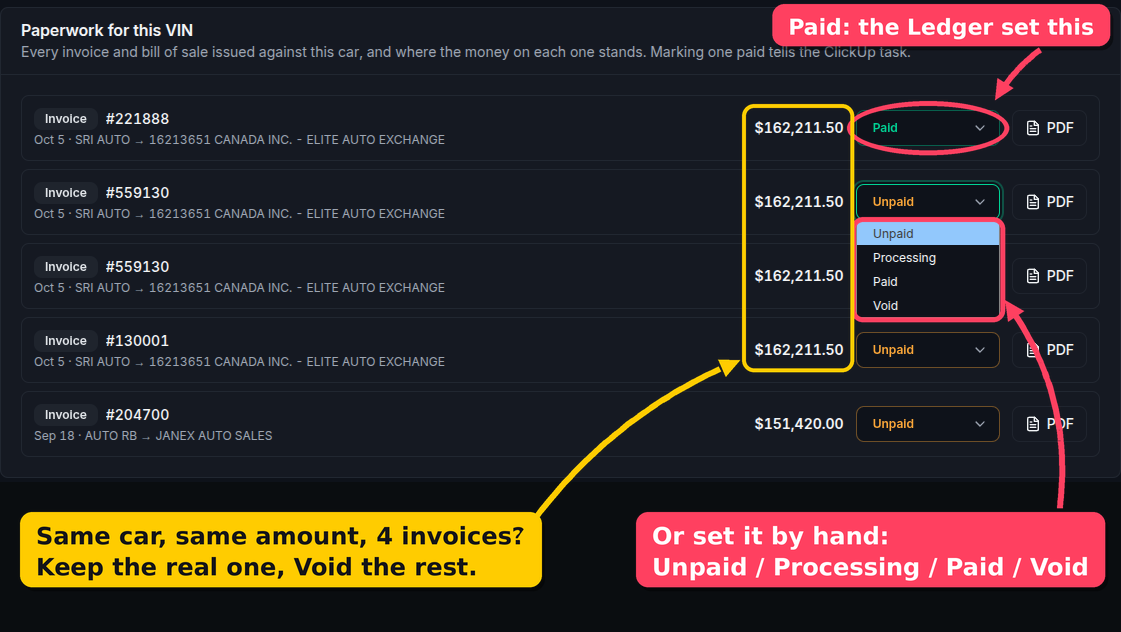
Every invoice for the car, with paid or not
Open a card and scroll to Paperwork for this VIN. It lists every invoice and bill of sale made in VinSight for that VIN. Each one is Unpaid, Processing, Paid or Void. The Ledger marks it Paid when a wire is confirmed. You can also change it by hand. Each change posts a comment on the ClickUp task.
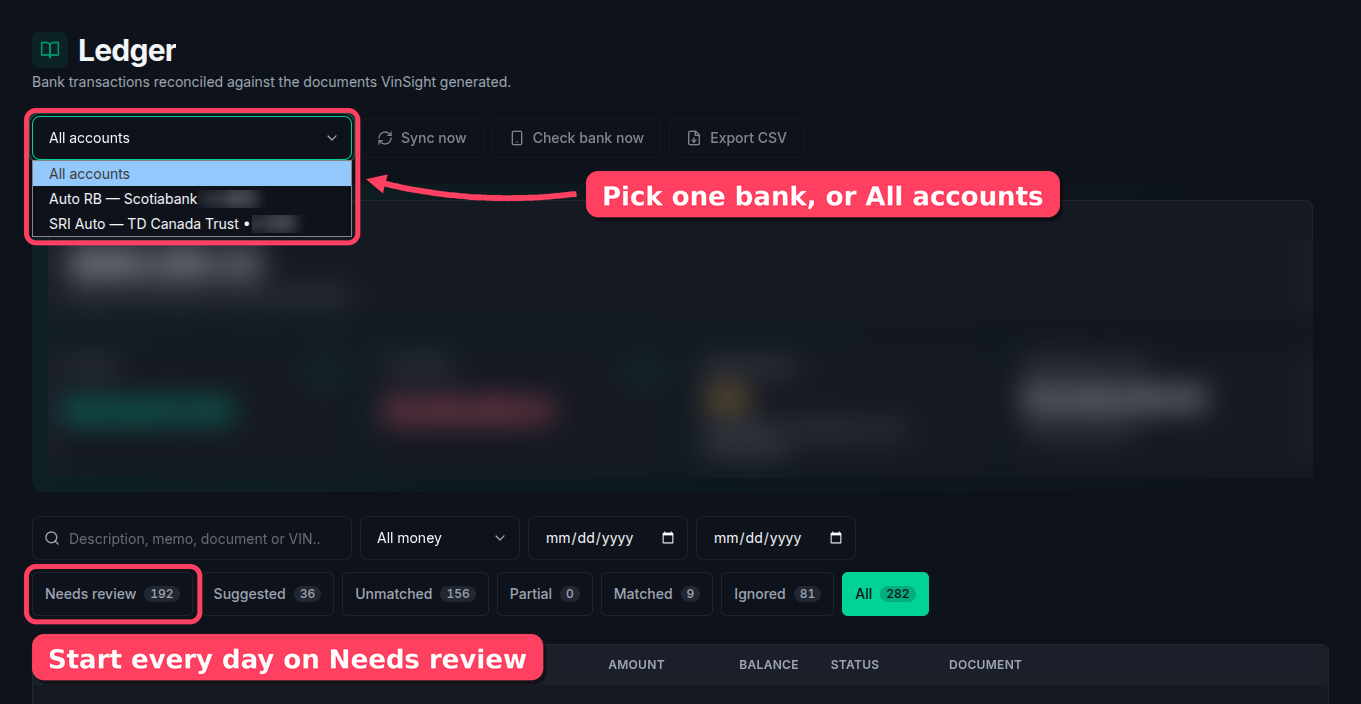
Both bank accounts in one list
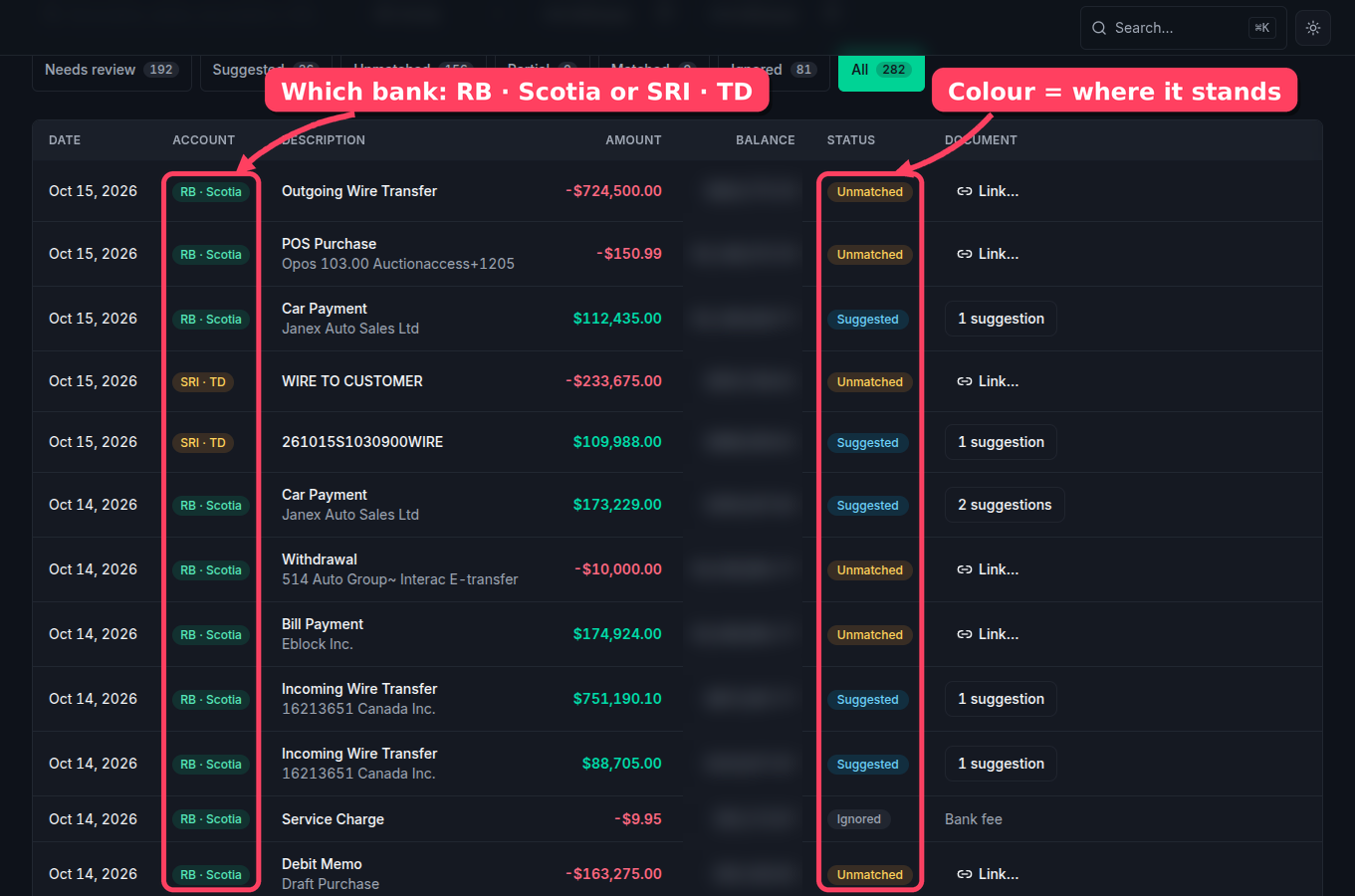
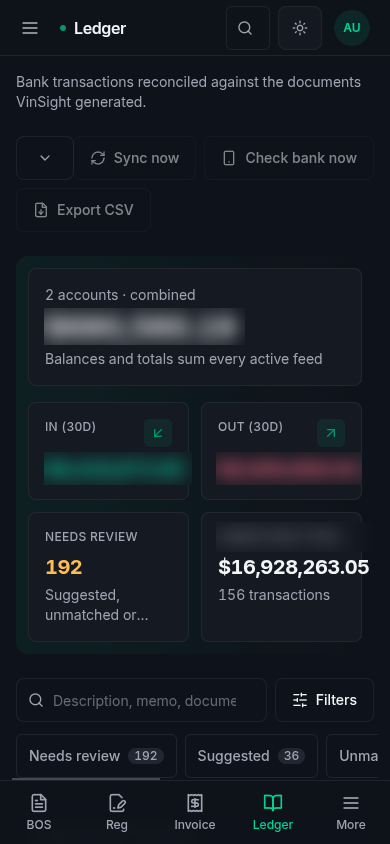
The Ledger now holds SRI Auto (TD) and Auto RB (Scotiabank). Each row has a tag that shows its bank. Use the menu at the top to see one bank or both. The 17 doubled rows are gone, so the Sept 10 $130,610.50 wire now shows once.
Confirm the wire, attach the receipt
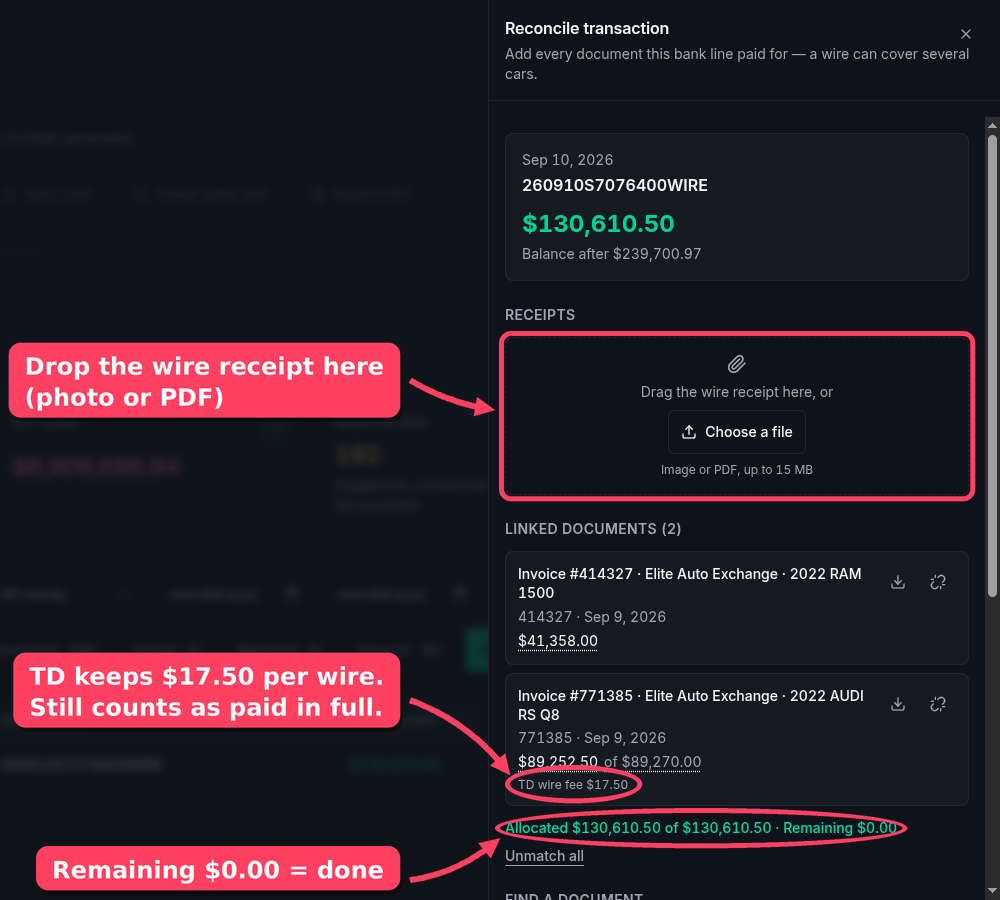
Click a row to open it. Check the linked invoices and confirm. Then drag the wire receipt into Receipts. TD keeps $17.50 from each incoming wire. VinSight knows this, so a wire that is $17.50 short still counts as paid in full. The fee shows on its own line.
Works on the phone
Open tools.vinsight.ca on your phone. The Ledger has its own button in the bottom bar. You can also attach a receipt from the phone's photos.
The daily routine
Every morning
- Open Tools › Ledger. Set the menu to All accounts.
- Click Needs review.
- Open each blue Suggested row. Check that the invoice is right, then confirm.
- Drag the wire receipt into Receipts.
- For each yellow Unmatched row, click Link… and search by invoice number or VIN.
- If the money is for something with no invoice (a transfer between our companies, for example), write a note on the row.
When a new car comes in
- Fill the ClickUp intake form with the real VIN.
- Wait for the "✅ VinSight car card created" comment on the task.
- No comment after a minute? Check the VIN. Then tell Shaw.
- Make the invoices and bills of sale in VinSight as usual. They show on the card by VIN.
- Set Void on any duplicate or replaced invoice.
What else changed
- RB wires now alert the WAR ROOM. The alert only covered SRI before. That's why nobody saw the $180k RB wire. The alerts never stopped. RB was never in them.
- No more doubled rows. The bank sync can't make duplicates again.
- 13 invoices already marked Paid from wires that were confirmed before today. ClickUp got no comments for these.